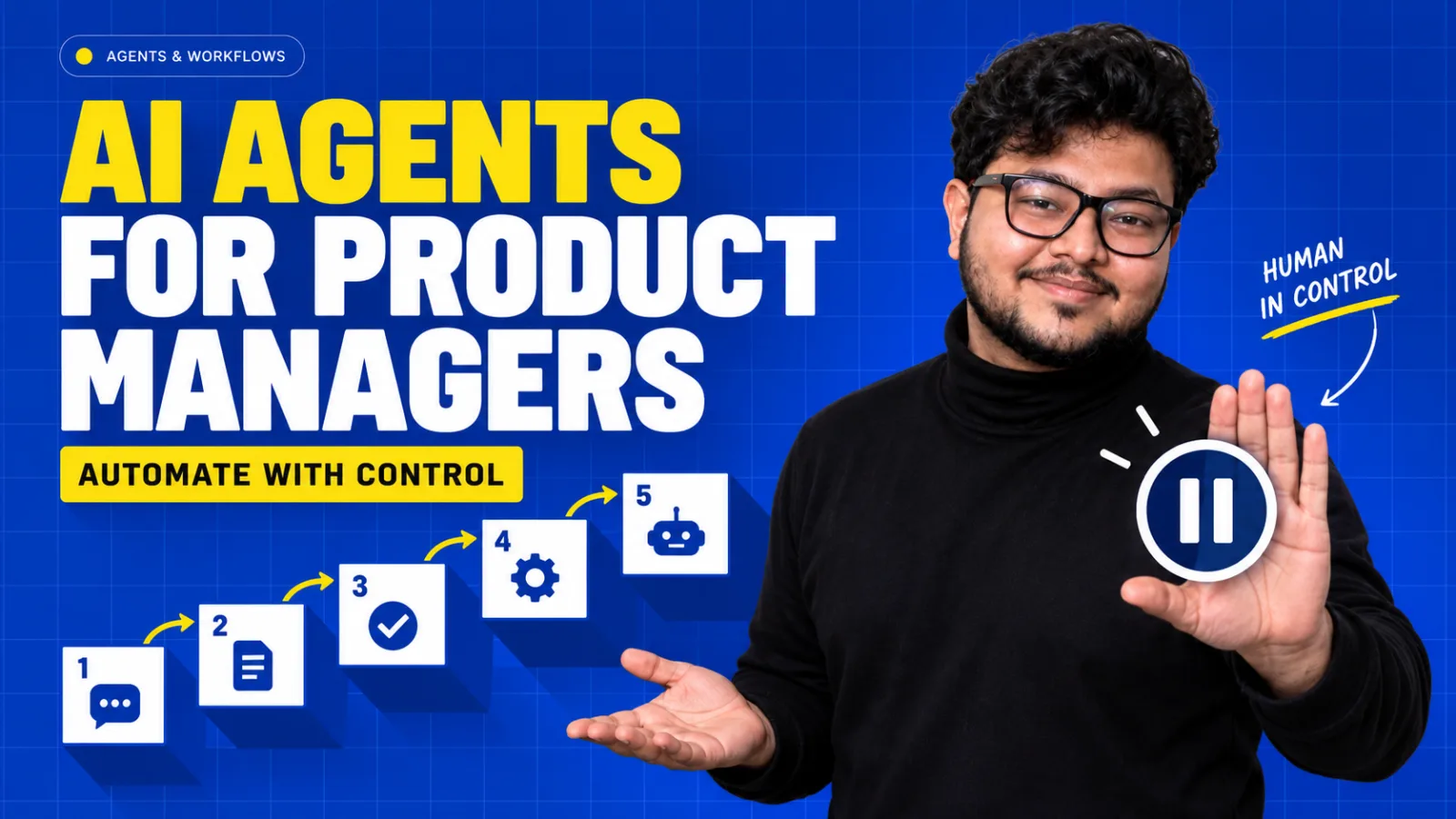
AI agents for product managers matter in two ways. First, as products: an AI agent is a system that works toward a goal by choosing steps, calling tools, observing results, and adjusting, and the PM decides its scope, autonomy, permissions, approval points, and success metrics. Second, as tools: agents can take on repeatable PM work such as research, feedback synthesis, and first drafts. In both cases the rule is the same. Start with the smallest useful autonomy, keep humans in charge of consequential actions, and expand only when measured performance earns it.
Key takeaways
- An agent chooses its own next step. A workflow follows a path you designed. Use the simplest one that solves the problem.
- The model requests an action. Your backend decides whether it runs. Authority lives in code, never in the prompt.
- Autonomy is a ladder: suggest, draft for approval, execute reversible actions, then execute consequential ones. Most first releases belong on the first two rungs.
- Measure cost and latency per successful task, not per model call. Multi-step agents burn money quietly.
What is an AI agent? AI agents for product managers, defined
An AI agent is a system that works toward a goal by choosing steps, using tools, observing the results, and deciding what to do next. The language model supplies the reasoning. The product supplies everything else: instructions, tools, data, memory, workflow logic, permissions, limits, and the human review.
That definition separates a real agent from a chatbot with a new label. A normal model interaction turns one input into one output. It answers, summarises, or drafts. An agent keeps going across several steps, touches external systems, changes course when new information appears, and sometimes takes action.
| Pattern | What it does | Sales brief example |
|---|---|---|
| Single model call | One input, one output | Drafts a brief from notes the user pastes |
| RAG feature | Retrieves evidence, then answers | Grounds the brief in approved account documents |
| Workflow | Follows a fixed sequence of steps the team designed | Always pulls CRM data, then call notes, then drafts |
| Agent | Chooses its own steps and tools toward a goal | Searches news, checks permitted CRM records, reads past calls, finds open deals, compares evidence, and pauses for approval before saving |
The value of the agent comes from finishing more of the workflow, not from the word "agent" on the interface. If you are mapping out the whole career move, start with the zero-to-hired roadmap and the 22 AI PM skills. If retrieval is new to you, read RAG for Product Managers first, because most useful agents use retrieval as one of their tools.
How AI agents work: the agent loop
- Goal. The user or system sets an objective.
- Plan. The agent picks a next step, or a sequence of steps.
- Act. It calls a tool or performs an allowed action.
- Observe. It reads the result, which may be useful, incomplete, conflicting, or an error.
- Adjust. It updates its state and decides whether to continue, ask, escalate, or stop.
This loop lets agents handle messy, multi-step work. It also compounds errors. A weak plan picks the wrong tool. The wrong tool returns misleading data. Misread data triggers a bad action, and the agent carries on from a broken state while the final message still reads beautifully. That is why agent products must control every transition, not only judge the final text. The reason, act, observe pattern was popularised by the ReAct paper.
When to use an AI agent, and when not to
Choose the simplest architecture that creates the value. Controlled workflows are easier to test and monitor, and easier to explain and secure. Anthropic's essay Building effective agents makes the same argument from the engineering side: many successful systems are workflows with AI inside the steps, not fully autonomous agents.
| An agent earns its complexity when | Something simpler usually wins when |
|---|---|
| The right path depends on what the system finds along the way | The steps are the same every time |
| The task needs several tools and data sources | One model call or one retrieval step answers it |
| The work is valuable enough to justify added latency and cost | Users need an instant response |
| Errors can be caught by review or undone | A single wrong action is costly and irreversible |
A product can combine both: a controlled state machine around a few selected agentic decisions. That hybrid is where many real enterprise products land. Saying so in an interview, and explaining why, is a strong signal of judgment.
The autonomy ladder: how much should an agent do on its own?
Autonomy should rise only as evidence and controls improve. The same model quality can be acceptable at one level and unsafe at another.
| Level | The agent | Example | Mistake cost |
|---|---|---|---|
| 1. Suggest | Explains or recommends | "This ticket looks like a refund request" | Very low |
| 2. Draft for approval | Prepares work a human approves | Drafts the customer reply for the support agent | Low |
| 3. Execute reversible actions | Acts where undo is easy | Applies a ticket tag or routes to a queue | Moderate |
| 4. Execute consequential actions with checks | Acts where effects reach people or money, within thresholds | Sends a standard reply for a narrow, well-tested category | High |
| 5. Operate across systems | Runs multi-system work with little review | Changes account status and notifies finance | Very high |
A draft can be edited. A sent email has reached a person. A suggested label is easy to fix. A closed ticket can hide a customer problem. A refund recommendation is advice, while a refund approval changes money and obligations. Start at the lowest level that still solves the user's problem.
Tools: the model asks, your backend decides
Tools let an agent reach outside the model: search, retrieve documents, query a database, check a calendar, run a calculation, create a ticket, update a CRM record, or call an API. With tool calling, the model requests a structured action with arguments, and the application decides whether to run it. The OpenAI function calling guide shows the mechanics.
That split is the most important security idea in agent design. The model can only request tools the product exposes, and the product validates the tool, the arguments, the user's permissions, the current state, and any approval requirement before anything executes. Reading is different from writing. Drafting is different from sending.
Every tool needs a contract
- Purpose and a description distinct enough that the model picks correctly
- Input schema and allowed values
- Data scope: the current account only, or across accounts?
- Output shape and error behaviour
- Timeout, retry policy, and rate limits
- Whether it needs user confirmation
- Whether the effect is reversible, and how
- How success is verified
- What appears in the activity log
Standards such as the Model Context Protocol make it easier to connect agents to tools and data sources consistently. They do not decide which tools an agent should have or what it may do with them. That remains a product decision.
Planning and memory: what the PM must specify
Planning
Planning breaks a broad goal into steps. A competitor report needs source selection, evidence collection, comparison, synthesis, and a citation review. Plans help only when they respect scope and stop conditions. Agents over-complicate simple requests, ignore constraints, and keep working after the goal is met. So the PRD sets maximum steps, limits on time and cost, the retry limits, what counts as completion evidence, and when to ask the user or escalate. For consequential tasks, let users inspect or edit the plan before execution, and let them pause, cancel, or resume.
Memory
Short-term memory holds the active goal, completed steps, and recent tool results. Long-term memory might keep approved preferences or recurring project context across sessions. Without memory, agents repeat work. With careless memory, they store private data unnecessarily, carry stale assumptions, or mix one user's context into another's.
- Define what is stored, why it helps, and who owns it.
- Set how long it lasts and how users correct or delete it.
- Keep task state separate from persistent user memory.
- Attach a source and timestamp to facts that go stale.
- When memory conflicts with current authoritative data, current data wins or the agent asks.
Multi-agent systems: impressive demos, real costs
Multi-agent systems split work across roles, such as a researcher, an analyst, a writer, and a reviewer, coordinated by an orchestrator. Specialisation helps when subtasks are genuinely independent or need different tools and evaluation.
Every extra agent adds a boundary where information can be lost, duplicated, or misread. Agents disagree, repeat each other, pass incomplete context, increase cost, add latency, and make debugging much harder. One well-designed workflow often beats a dramatic team of agents. Add another agent only when testing shows a clear advantage over simpler decomposition.
The six controls to build before adding autonomy
- Narrow scope. "Handle customer support" is untestable. "Triage refund tickets for self-serve users and draft a reply for agent approval" is testable.
- Least-privilege access. Only the tools and data this task needs, with authorisation enforced outside the model before retrieval and execution.
- Approval for consequential actions. Pause before sending, publishing, paying, deleting, or changing important records, and ask for approval of the specific action, not a broad consent granted at the start.
- Limits. Maximum steps, tool calls, time, cost, and a retry budget. Stop loops. Fail safely when a dependency is down.
- Traceability. Log the goal, state changes, tool requests, validated arguments, results, approvals, and the final action, within privacy rules.
- Recovery. Undo for reversible actions, defined fallbacks for failed steps, and no "done" message until the effect is verified.
A product that fails visibly and recovers is safer than one that silently claims success.
AI agent failure modes
Agent failures are workflow failures, not only bad text. Group them by where they happen so each has an owner and a test.
| Failure | What it looks like |
|---|---|
| Planning | An unsuitable path, or continuing without a valid goal |
| Tool selection | Picking the wrong capability |
| Arguments | Right tool, wrong account, date, ID, or status |
| Observation | Misreading a warning, a missing value, or conflicting results |
| Execution | An unintended effect in an external system |
| Hidden completion | Reporting success with no evidence the effect happened |
| Looping | Repeating searches or retries without progress |
| Over-automation | Acting where a recommendation was appropriate |
| Permission | Accessing or exposing restricted information |
| Memory | Stale facts or another user's context |
| Coordination | Context lost between steps or agents |
A web page, email, ticket, or tool result can contain text telling the agent to ignore its rules, reveal data, or call a tool. Retrieved content is untrusted evidence, and a document cannot grant itself permission. Put the security boundary in deterministic controls: separate trusted instructions from content, validate every action, restrict tools and data, and require confirmation for consequential steps. See OWASP's prompt injection guidance.
How to measure an AI agent
Metrics must follow the task from start to finish. A beautiful final message after the wrong account was updated is a failure.
| Metric | What it tells you |
|---|---|
| Task success rate | Was the user's goal actually completed correctly? |
| Tool-call accuracy | Right tools, right arguments? |
| Step failure categories | Where the path breaks most often |
| Completion verification | Did the promised effect really happen? |
| Approval, edit, rejection, override rates | How humans supervise, and where drafts fall short |
| Recovery and escalation | Whether failures end safely |
| Severe incidents | The count that can block expansion on its own |
| Latency and cost per successful task | Whether the workflow is viable as a business |
Read these together. A low intervention rate is bad news if users are missing hidden errors. A high edit rate might mean weak context rather than a weak model. Pair the numbers with sampled trace reviews and user interviews. The full evaluation method, including scoring the path and not only the result, is in AI evals for Product Managers.
Why cost per successful task matters
An agent might plan, retrieve, rerank, call three tools, verify the result, and then retry once. That is eight or more calls for a single outcome. A cheap per-call price can still produce poor unit economics, and if one task in five fails, the real cost per successful task rises further. Model tier, request routing, caching, and the step limits are product decisions with direct margin impact.
Three agents, three risk profiles
One agent policy never fits every workflow. Compare how scope, review, and the first release's autonomy change with the stakes.
| Support triage agent | Invoice processing agent | Research report agent | |
|---|---|---|---|
| What it does | Classifies the ticket, checks the account, retrieves policy, spots incidents, suggests routing, and drafts a reply | Extracts invoice fields, matches vendor and purchase order, checks duplicates, routes exceptions | Clarifies audience, plans, searches approved sources, compares claims, drafts with citations |
| First release must not | Send replies or approve refunds | Approve payment or invent bank details | Present interpretation as fact |
| Human review | Agent approves every customer reply | Finance reviews exceptions and every payment | Analyst checks sources before sharing |
| Always escalate | Security and legal issues, refunds, and any highly distressed customer | Mismatches, new vendors, amounts above threshold | Conflicting sources on key claims |
| Possible next step | Automate reversible tagging for narrow categories | Prepare accounting records automatically | Scheduled source monitoring |
How to write an AI agent PRD
A strong agent PRD describes a workflow and its control system, not a personality. Cover the target user, current problem, the precise goal, its start and end states, the autonomy level, the allowed and prohibited actions, tools, data sources, memory, permissions, approval points, failure states, limits, recovery, metrics, evaluation, UX, logging, rollout stages, and an owner.
Draw the state diagram
The state diagram makes hidden decisions visible to engineering, design, security, legal, and the operations team at once, and it gives evaluation a structure because every state and transition can have an expected outcome.
New ticket → classification → account lookup → policy retrieval → priority assessment → risk check → human review → update → verified completion.
Branches: missing information goes to a clarifying question. High risk goes to escalation. Tool failure goes to manual triage. Step limit reached goes to handoff with a summary.
Agent UX: design for supervision
Users must be able to supervise an agent without reading its internals. Decide what to show: the plan, a simple activity log, the current step, evidence and sources, proposed changes, approval history, and a final audit trail. Give people controls to pause or cancel, to edit and resume, and to undo, and notify them when a long task finishes or needs input.
Scale transparency with risk. A low-risk research draft needs progress and citations. A workflow that changes records needs a detailed trace. Hide technical noise that distracts from the one decision the user has to make. Google's People + AI Guidebook has useful patterns for explaining AI behaviour and setting expectations.
Launch agents in stages
| Workflow | Stage 1 | Stage 2 | Stage 3 |
|---|---|---|---|
| Support | Summaries and tags | Drafted replies for approval | Auto-send for one narrow, tested category |
| Invoices | Extraction and validation | Prepared accounting records | Post small invoices that fully match, automatically |
| Research | Source gathering | Drafted reports with citations | Recommendations flagged for review |
| Calendar | Proposed times | Bookings after a single confirmation | Automatic booking inside set rules |
A focused agent that reliably completes one valuable workflow beats a general "do anything" promise. A narrow launch surfaces tool failures, data gaps, permission problems, and trust issues while the blast radius is small. Move up a stage only when the metrics and the operational controls both support it.
Using AI agents for product managers' own daily work
The same principles apply when you are the user, and this is the half of AI agents for product managers that most guides skip. The best starting point is a repeatable task that follows similar steps every time, with a human (you) reviewing before anything leaves your hands.
| PM task | What the agent does | What you still own |
|---|---|---|
| Feedback synthesis | Clusters tickets, reviews, and the survey answers with linked quotes | Deciding what matters and why |
| Competitor monitoring | Tracks changelogs, pricing pages, and the announcements each week | Interpreting the strategic meaning |
| Interview prep and notes | Transcribes, extracts themes, and drafts a summary | Checking quotes and context |
| PRD first drafts | Turns discovery notes into a structured draft | The decisions, trade-offs, and non-goals |
| Metric investigations | Pulls data, runs standard cuts, flags anomalies | Validating definitions and conclusions |
| Release notes and updates | Drafts from tickets and merged work | Accuracy and what customers need to hear |
Watch the same risks you would design against: invented quotes, stale data, and confident summaries of things you did not verify. Never paste confidential customer data into tools your company has not approved. And keep the judgment. Agents reduce the time spent organising work. They do not decide what the product should be.
Frameworks and tools, in one paragraph
LangGraph supports long-running, stateful agents with explicit state and persistence, plus human intervention. CrewAI offers agents and crews, plus controlled flows. Microsoft's Agent Framework succeeds ideas from AutoGen and Semantic Kernel. n8n connects AI steps to business apps with approval nodes in a low-code canvas. Provider tool-calling APIs supply the primitive underneath all of them. Names will keep changing, so learn which problem each category solves (tool calling, orchestration, durable state, human review, multi-agent coordination, observability, integrations) and learn one workflow deeply rather than five frameworks shallowly. Lilian Weng's essay LLM Powered Autonomous Agents remains a strong conceptual overview.
Agentic AI product manager interview questions
"What is an AI agent, and when would you not use one?"
Define it as a goal-directed system that chooses steps, uses tools, observes results, and adapts. Then spend most of the answer on when not to: a single model call, RAG, structured extraction, or a fixed workflow often solves the problem more reliably. Agents earn their complexity when tasks are variable, multi-step, tool-heavy, and valuable enough to justify the extra risk, the latency, and the cost.
"What are the biggest risks with agents?"
Wrong tools or arguments, permission leakage, prompt injection, loops, over-automation, hidden failures, stale memory, runaway cost, and weak review. Pair each with a control from the six-control stack.
"How would you evaluate an agent?"
Task success, completion evidence, tool-call accuracy, approvals and corrections, interventions, recovery, severe errors, latency, cost per successful task, and user trust. Score the path as well as the result, using traces of representative tasks. More questions and answer structures are in AI Product Manager interview questions, and the types of AI PMs guide explains which roles lean hardest on agent design.
Practise: design one agent this week
- Pick a workflow you know well: support triage, invoice processing, research reports, sales account prep, onboarding, or meeting follow-through. Not a personal assistant for everything.
- Define the user, start state, end state, and business outcome.
- Describe today's manual process and where it goes wrong.
- Set version-one autonomy using the ladder.
- Map every tool and mark it read, draft, update after approval, or execute.
- Draw the state diagram with branches for missing data, high risk, and tool failure.
- List failure modes, controls, limits, logging, and the recovery path.
- Define metrics, launch stages, and a test plan.
Title it after the workflow, such as "PRD: agentic support triage." That document shows you can design a controlled system, which is exactly what agentic AI PM roles hire for. It also slots neatly into your AI PM portfolio.
Questions & answers
8 questions readers ask most, answered straight.
What is an AI agent in simple terms?
An AI agent is software that works toward a goal on its own for several steps. It decides what to do next, uses tools such as search, databases, or APIs, looks at the results, and adjusts. A chatbot answers one message at a time, while an agent can complete part of a workflow.
How are AI agents different from workflows?
A workflow follows a fixed sequence of steps designed by the product team, with AI possibly helping inside each step. An agent chooses its own next step and tool based on what it observes. Workflows are easier to test and secure, so they are usually the better choice unless the task genuinely varies.
What does an agentic AI product manager do?
An agentic AI product manager defines what an agent should accomplish, how much autonomy it gets, which tools and data it can use, where humans approve actions, how failures are handled, and how success is measured. They balance task value against risk, the latency, and the cost, and launch autonomy in stages.
How can product managers use AI agents in their daily work?
Product managers use agents for repeatable tasks such as synthesising customer feedback, monitoring competitors, summarising interviews, drafting PRDs and release notes, and running standard metric investigations. The PM still reviews outputs and owns every decision, prioritisation call, and conclusion.
What is human in the loop in AI agents?
Human in the loop means placing human review, approval, or correction at the points where agent mistakes would matter, such as before sending a message, changing a record, or moving money. Good design targets meaningful decisions rather than asking for approval on every low-risk step.
What are the biggest risks of AI agents?
The main risks are wrong tools or arguments, access to restricted data, prompt injection from untrusted content, loops that waste time and money, over-automation, claiming success without evidence, stale memory, and weak human review. Most are controlled with narrow scope, least-privilege permissions, approval steps, limits, logging, and the recovery paths.
How do you measure AI agent performance?
Measure task success rate, tool-call accuracy, step failure categories, completion verification, the approval and override rates, recovery and escalation, severe incidents, and latency and cost per successful task. Score the full path of representative tasks, not only the final message.
Do I need to code to build AI agents as a PM?
No. Low-code tools such as n8n and many AI app builders let you prototype agentic workflows with approval steps. For interviews and portfolios, a clear agent PRD with a state diagram, tool map, controls, and evaluation plan demonstrates the skill better than code alone.
Where this comes from
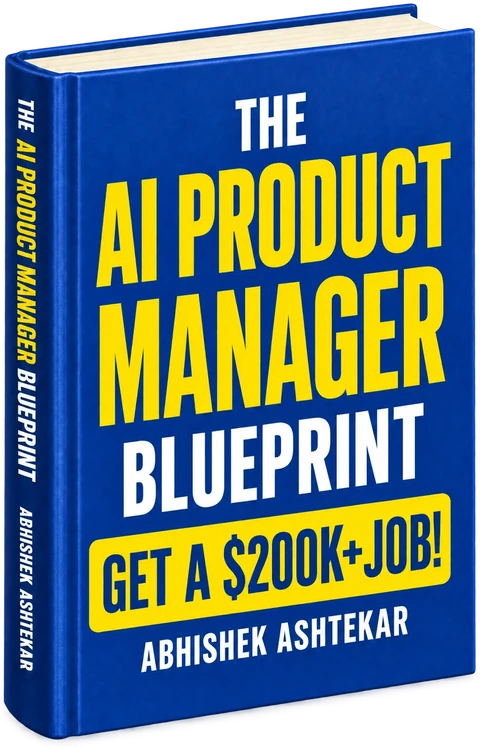
This guide is condensed from chapters 35, 40, and 42 of The AI Product Manager Blueprint by Abhishek Ashtekar (first edition, 2026). The book goes several levels deeper, with the full walkthroughs, templates, and examples.
External sources cited
- Building effective agents, AnthropicWhen workflows beat agents, and common agent design patterns.
- ReAct: Synergizing Reasoning and Acting in Language Models, Yao et al. (arXiv)The reason, act, and observe loop behind most agents.
- LLM Powered Autonomous Agents, Lilian WengPlanning, memory, and the use of tools, explained conceptually.
- Function calling guide, OpenAIHow models request structured tool actions.
- LLM01: Prompt Injection, OWASP GenAI Security ProjectInjection risks for systems that retrieve content and act.
Last reviewed September 16, 2026. Tools, platforms, and salary data change; the book’s free resources page is updated as they move.
Browse all 88 chapters
This guide is the trailer.
The book is the whole system.
Everything this guide compresses, in full. The chapters, the skills, the portfolio projects, and the week by week roadmap that takes you from zero to hired.
- 88Chapters
- 22Skills
- 5Projects
- 1Roadmap